
Apps to Make Friends in India: How to Choose
To make friends online in India, choose an approach that matches how you want to connect: profile introductions, interest communities or organised activities. GenzMeet offers profiles, Waves, chats and communities on Android. This guide is for adults aged 18 and over.
Check fit before creating another account
- Intent: does the space welcome friendship, or are most introductions about dating or professional promotion?
- Availability: can you access it on your device and find relevant groups or people in your region?
- Activity: inspect current discussions or upcoming events. A large directory alone does not tell you whether anyone will respond.
- Privacy and moderation: read rules and find reporting, blocking and profile visibility options before sharing personal details.
- Cost: check current subscriptions, event fees and feature charges before committing. Free installation does not mean every activity is free.
Three approaches to consider
| Approach | Good starting point when you want | What to check |
|---|---|---|
| Profile introductions, such as GenzMeet | A one-to-one conversation based on shared interests | Relevant profiles, device support, visibility settings and current feature costs |
| Activities and events, such as Meetup | An organised activity to meet people around | Local listings, organiser details, event format and fees |
| Topic communities, such as Discord servers | An ongoing discussion around a game or interest | Community activity, rules, age requirements and moderation |
GenZMeet: profiles, Waves and interest groups
GenZMeet offers profile discovery, Waves, chats and communities in its Android app. Mutual interest can lead to a conversation. It is an early-stage network, so relevant profiles and community participation may be limited. It does not guarantee friends or replies. See how GenZMeet connections work and review current coin or Pro requirements in the app. iPhone users can join the waitlist.
Meetup: activities and events
Meetup’s official directory lets you look for groups and events around interests. Consider this approach if you prefer meeting through an organised activity. Check actual listings in your area, organiser details, event format and any fees before travelling or booking.
Discord: topic and gaming communities
Discord’s official community resources describe gaming communities and link to its server directory and safety resources. Consider a topic-based space if you enjoy ongoing discussions around a shared game or interest. Check the individual community’s rules, age requirements and moderation; a shared topic does not establish trust.
External descriptions were checked against the linked official pages on 25 November 2026. This is an illustrative comparison, not an exhaustive list, safety endorsement or ranking. Availability, rules and costs can change.
How to get started on GenzMeet
- Install the Android app from the official Google Play listing and follow the account setup.
- Add a bio and interests you are comfortable sharing. Check your profile visibility before exploring.
- Open Find Connections to browse profiles, or look for an interest community that fits you.
- Send a Wave if you would like to connect. When mutual interest leads to a chat, start with something the person chose to share.
- Check current coin or Pro requirements before using paid features. Keep personal details private and use available reporting or blocking controls when needed.
Need a first message? Try these conversation starters for new friends. For a broader look at profiles and groups, read how to choose an app for Gen Z connections.
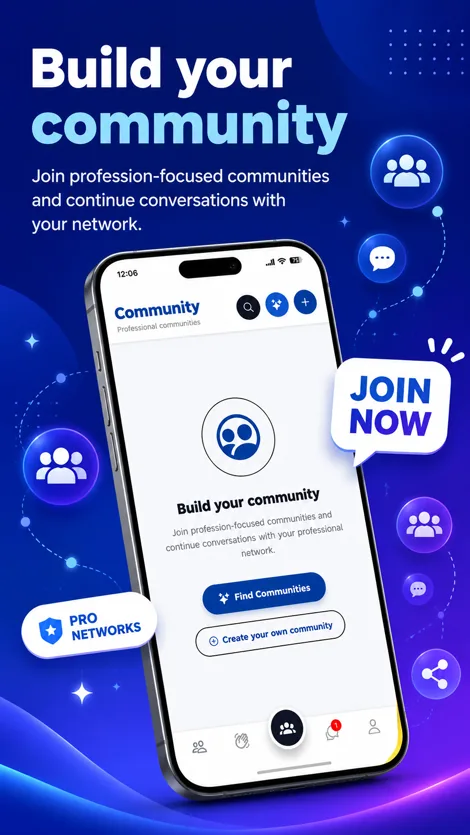
Choose an approach that suits your situation
If you prefer a quieter start, read a group conversation first and contribute one useful question. If you have moved city, a recurring local activity gives you something to return to; use our new-city friendship plan. If you want a one-to-one introduction, describe your interests clearly and send a specific, respectful message.
To make friends online without dating as your goal, state that intention and choose spaces with compatible rules. Other people may still have different intentions. You can decline a conversation or leave at any time.
Try a small experiment, then reassess
Choose one relevant group or app, make a profile that reflects your interests, and try one introduction you are comfortable with. Notice whether you enjoy the experience and whether others engage respectfully. Avoid paying simply because you expect instant results.
Read tips for making friends online safely and keep personal information private. If you try GenZMeet, browse its featured communities and check their current details in the app.
More ways to get started
Build a clearer introduction with our friendship bio examples, or try a quieter approach to meeting people online.